After years of running a small in-house Mac fleet for iOS builds and CI, we shut it down and moved to VNCMac full-managed Mac cloud. This is a reflection on why the math and the ops burden finally tipped in favor of managed Mac minis instead of our own rack.
The Self-Built Mac Rack: What We Had
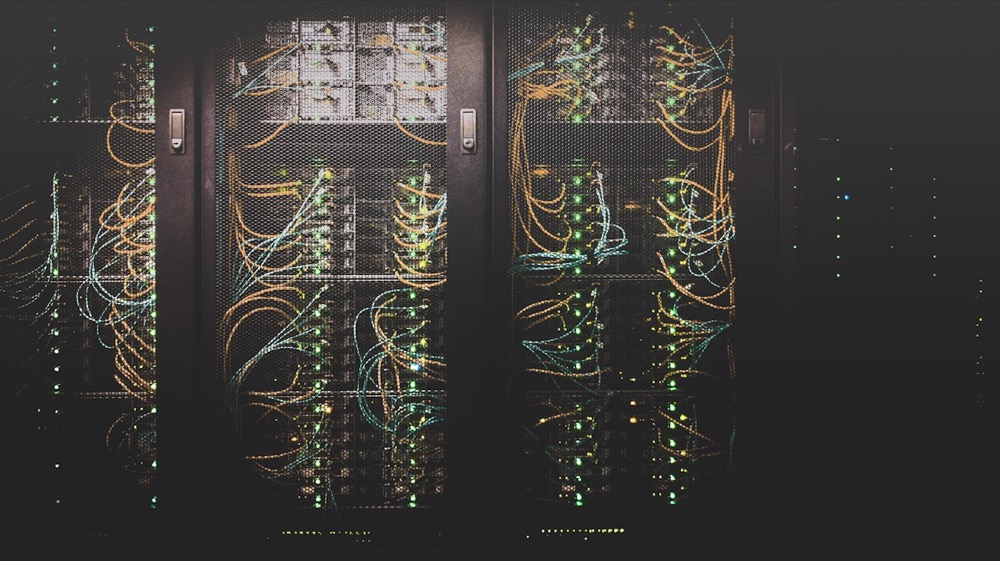
We had a handful of Mac minis in a colo: power, cooling, networking, and our own SSH and VNC access. We owned the hardware and paid the datacenter for space and bandwidth. On paper it looked cheaper than “cloud” per machine-hour. In practice we spent a lot of time on things that had nothing to do with shipping product.
Failures were our problem: dead power supplies, failed disks, machines that wouldn’t wake after a power blip. We had no spare capacity for burst; adding a node meant buying hardware, shipping it, and waiting for the colo to rack it. macOS and Xcode updates had to be scheduled and tested on our own schedule. When a critical CVE dropped, we were the ones patching and rebooting.
Where the Cost Really Was
The raw cost per Mac-hour was only part of the story. We tracked time spent on datacenter and Mac ops: provisioning, imaging, key management, monitoring, and incident response. Even with only a few machines, that added up to several engineer-days per quarter. At typical fully loaded salary, that was far more than the delta between our colo bill and a managed Mac service.
- Hardware lifecycle: Buying, shipping, decommissioning. No elasticity; we either over-provisioned or ran hot.
- Incident ownership: Any hardware or OS issue was our on-call. No vendor SLA for “Mac not booting.”
- Compliance and security: We had to document and maintain our own hardening, patching, and access controls for audits.
Industry data backs this up. At scale, some companies do the opposite: Grab, for example, moved 200 Macs out of the cloud and into their own datacenter and reported about $2.4M savings over three years, citing cloud macOS build minutes at roughly ten times the cost of Linux and 24-hour minimum utilization. That calculus works when you have hundreds of machines and dedicated ops. For a small team with a few dozen build nodes or fewer, the fixed cost of running your own Mac fleet usually loses to a managed provider that spreads that cost across many customers.
"The moment we added the cost of our time—ops, incidents, and opportunity cost—the per-hour price of our colo Macs was no longer lower than managed Mac cloud." — Senior architect, 2026
Why We Chose VNCMac Full Managed
We needed dedicated Mac minis (not shared VMs) for Xcode, code signing, and CI. We also wanted hourly billing and no long-term commitment so we could scale up for releases and scale down after. VNCMac offered exactly that: bare-metal Mac minis, SSH and VNC access, full control of the OS, and pay-for-what-you-use. No minimum contract and no need for us to touch hardware or datacenter.
From an architect’s perspective the trade-off was clear. We gave up the illusion of “owning” the cost curve and gained predictable per-hour pricing, someone else’s problem for hardware and facility, and the ability to add or drop nodes in minutes instead of weeks. Our team could focus on build pipelines and product instead of rack layout and failed disks.
What We Did Not Give Up
Moving to managed did not mean losing control. We still use SSH keys, our own configs, and our CI agents (e.g. GitLab Runner, Fastlane) on the rented Macs. We tunnel VNC over SSH and treat the instances as ephemeral from a security perspective: no long-lived secrets on disk that we don’t manage. The provider handles power, cooling, and hardware replacement; we handle everything above the OS. That separation of concerns is what made the move acceptable to security and compliance.
Recommendation for Other Teams
If you are a senior architect or tech lead weighing self-built Mac capacity vs managed Mac cloud, do the full cost model: hardware, colo, and—critically—the cost of your team’s time for procurement, ops, and incidents. For small to mid-size Mac fleets (roughly under 50–100 nodes), managed services like VNCMac often win on total cost of ownership and let the team focus on shipping. For very large fleets with dedicated infra teams, the equation can flip; the important thing is to run the numbers with ops and opportunity cost included.
Summary
We shut down our self-built Mac datacenter and moved to VNCMac full-managed Mac cloud because the total cost of ownership—including our time—favored managed. We kept SSH, VNC over SSH, and full control of the OS; we gave up hardware and facility ownership. For teams of our size, that trade-off has been the right one. If you are considering the same move, model your full cost and compare it to a managed Mac provider; you may find, as we did, that the “cheaper” colo option was only cheaper on the surface.